
Run time, Projects, and field records from one place.
Crews clock in to the Project they are working on, and notes, photos and reports land on that same Project record. Each person sees what their role allows, and the office reviews it all in one place — no chasing texts, spreadsheets, or personal phones.
No card required.
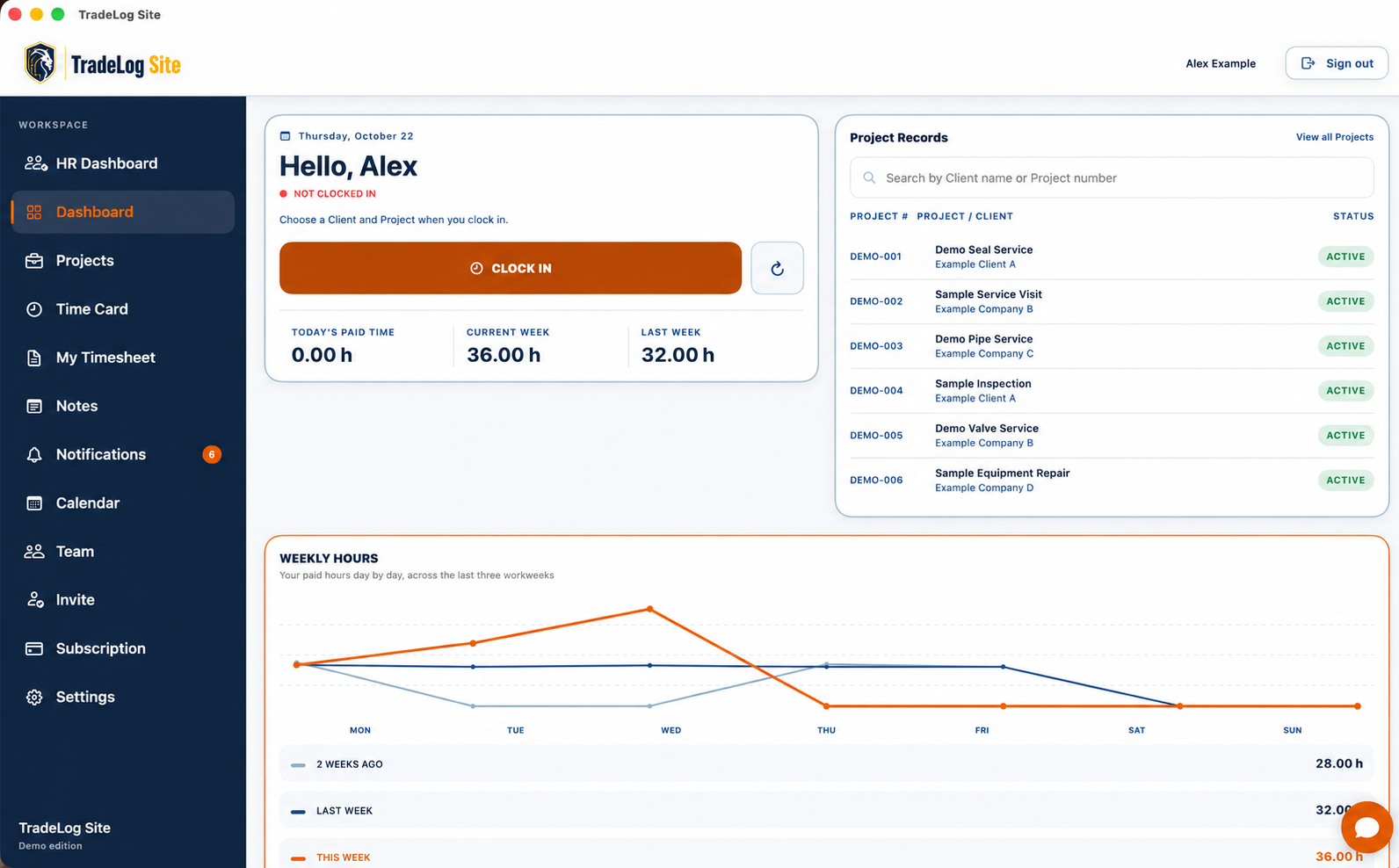
- Time tied to Client and Project
- Field and office share one record
- Controlled access
Stop rebuilding the story of every Project.
Hours land in one place, updates in a group text, photos on a personal phone, tasks on a whiteboard, and reports in a spreadsheet someone rebuilds every week. Nobody is careless — the information simply never had one home.
TradeLog Site keeps all of it attached to the Client and Project it came from, so the field records the work once and the office reviews the same history.
Time
Time from the field to the office
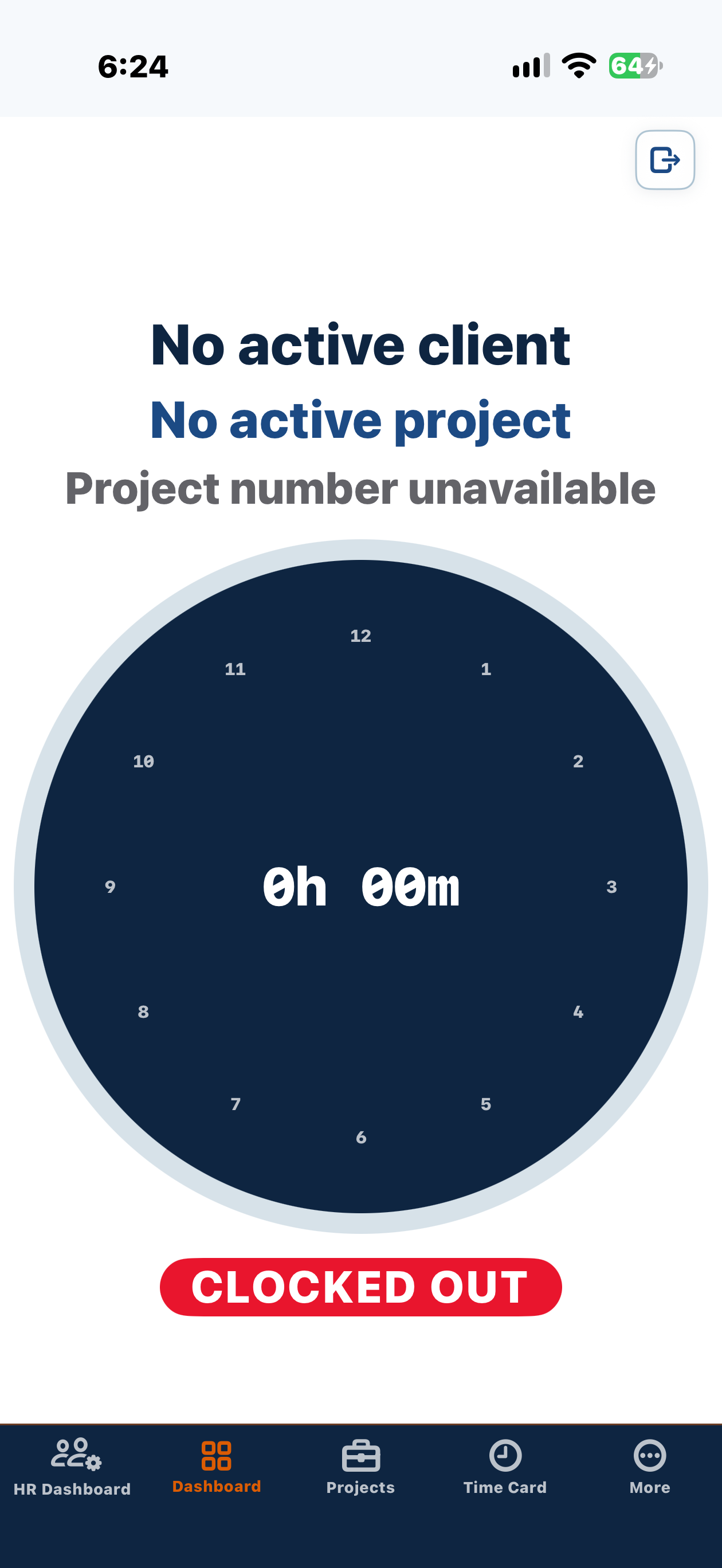
Clocking is a deliberate action tied to real work, so the hours the office reviews already carry the Client and Project they belong to.
- Choose the Client, then the Project, before clocking in.
- Clock in and out as a deliberate, confirmed action.
- Switch between On Site and Drive Time without ending the session.
- Authorized manual entries and lunch handling cover the gaps.
- Every entry stays attached to the right Project.
- Client → Project
- Clock in / out
- On Site / Drive Time
- Manual entry
Project workspace
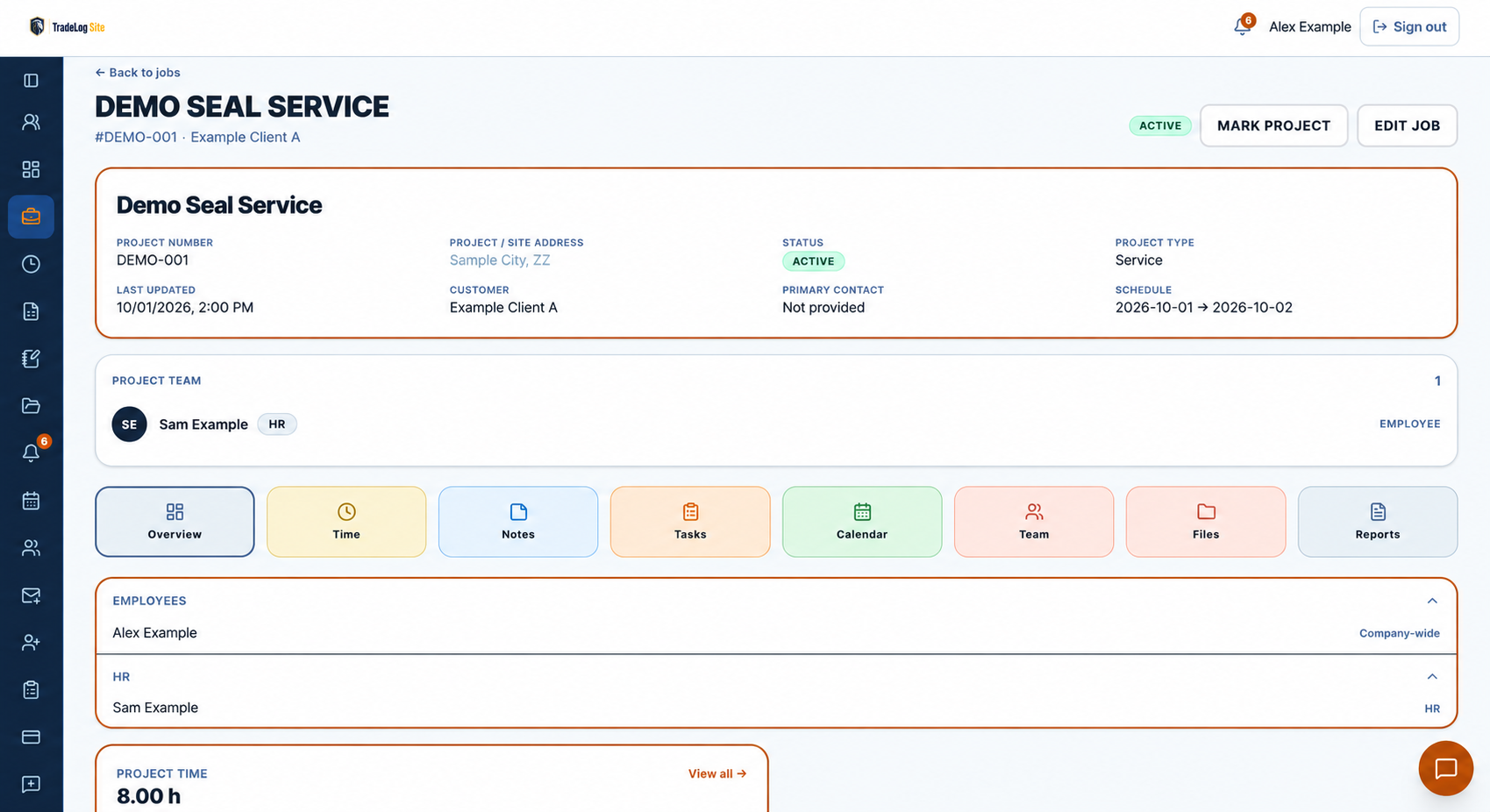
One organized Project workspace
Everything produced on a Project lives on that Project — so months later the answer is on the record instead of in someone's phone.
- Notes, tasks and punch lists stay with the Project.
- Photos and files are filed against the work they document.
- Calendar events keep the schedule on the same record.
- Daily and weekly reports plus Project status history.
- Outside collaborators see only the Projects they are assigned.
Visibility
Company visibility without chasing updates
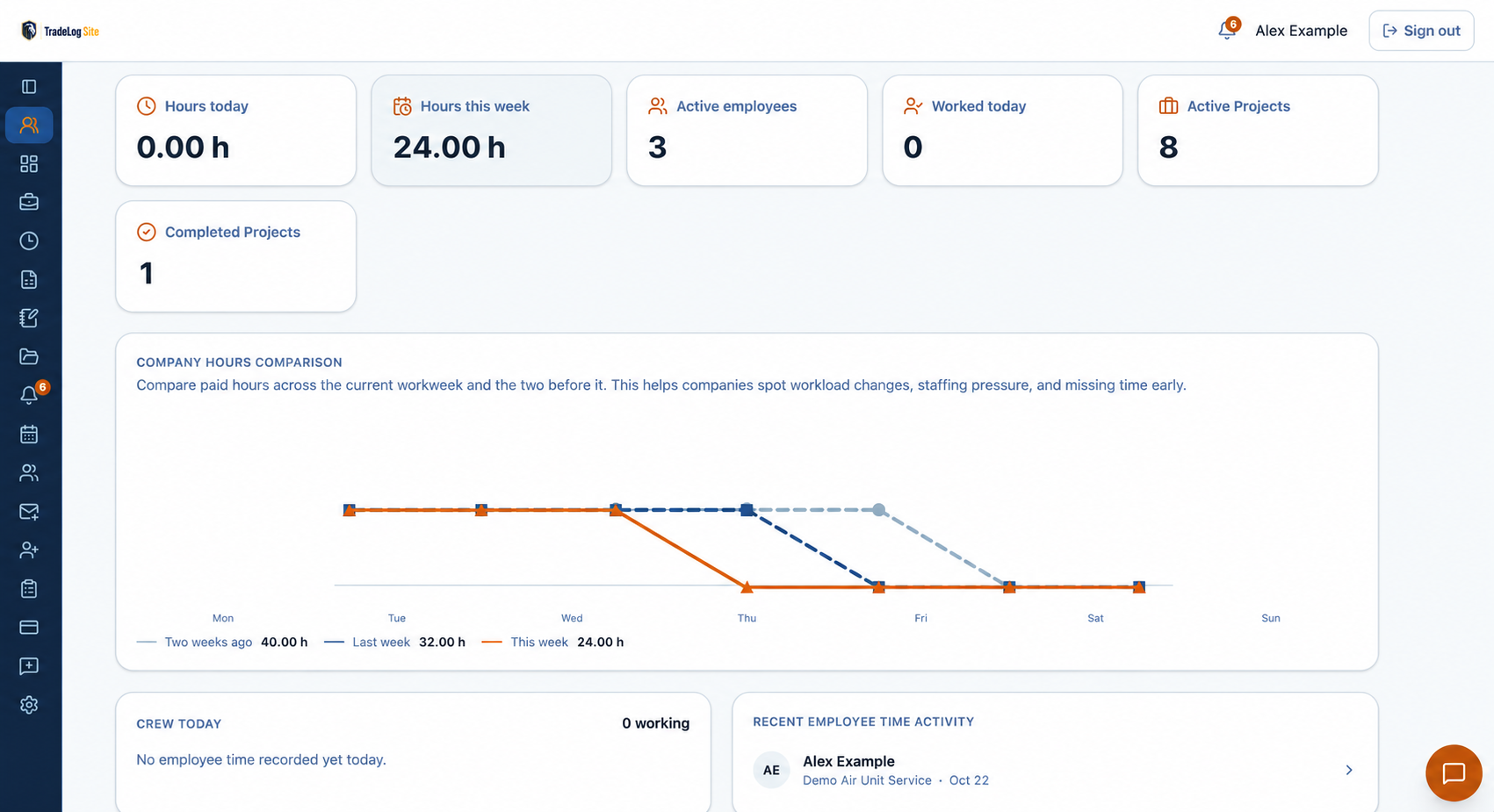
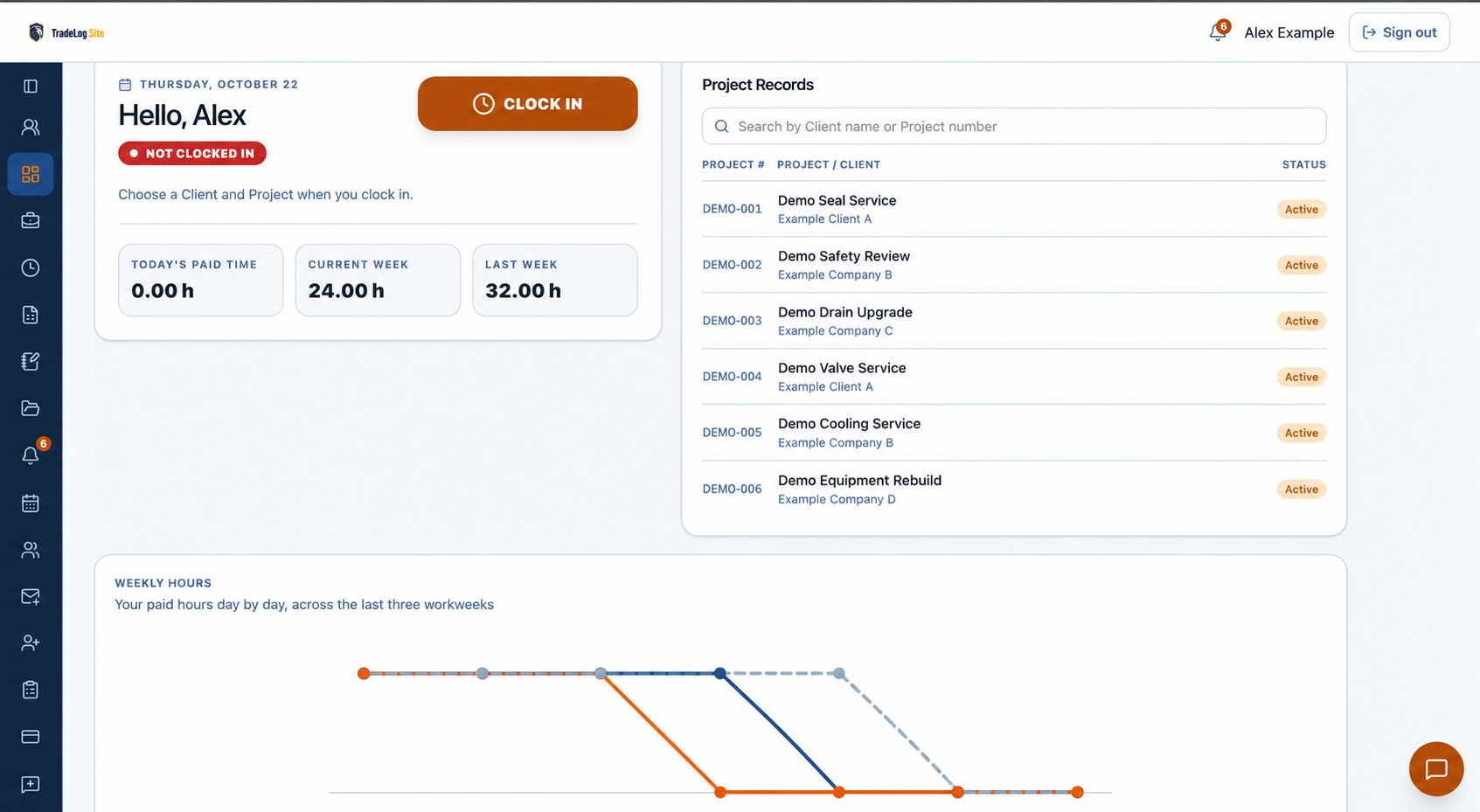
Two dashboards read the same records. Employees get a focused daily workflow; authorized leadership gets the company view without opening every timesheet and Project.
- Standard Dashboard: daily clocking, the current week and assigned work.
- HR Dashboard: company hours, weekly comparisons and completed Projects.
- Recent employee time activity shows who is working and where.
- Weekly comparisons give payroll and time review real context.
- Notifications surface follow-up earlier instead of at month end.
The right people see the right work
Company authority where permitted
Owner, Admin, HR and Manager roles carry company-level authority for the areas they are permitted to see.
Employees see their own work
Internal team members get access based on their company role and the Projects they are assigned.
Outside collaborators stay scoped
Invited collaborators are limited to their assigned Projects and never consume internal employee seats.
Enterprise only
In-app messaging for companies that need it
Private messages, Project conversations, and company-wide announcements are available only to Enterprise accounts. Authorized leadership starts conversations and employees reply, so the discussion stays inside the same system as the work.
Private messages
One-to-one conversations between people in the company.
Project conversations
A thread for the authorized Project team, kept with that Project's work.
Company announcements
Send one message to the company when everyone needs the same information.
Buying extra employee seats on another plan does not unlock Enterprise messaging.
How it works
Set up the company, Clients and Projects
Create the company record, add the Clients you work for, and open the Projects the work happens on.
Invite people and assign access
Add internal employees, or invite Project-specific outside collaborators, and give each person the right level of access.
Clock time and build the shared history
The field clocks time and documents the work; the office reviews the same Project record.
Find the fit for your company
Individual
Owner-operated work — one paid seat for the owner.
Small Business
Internal employees, team controls, and the HR Dashboard for company-wide review.
Enterprise
Larger teams, with Enterprise-only private messages, Project conversations and company-wide announcements.
Common questions
Is TradeLog Site only for construction?
No. It fits trade and field-service businesses of many kinds — HVAC and refrigeration, roofing, landscaping and lawn care, cleaning services, maintenance and repair, and construction trades.
How is time connected to a Project?
People choose the Client and the Project before clocking in, so every entry lands on the work it belongs to. A session can switch between On Site and Drive Time without ending, and an authorized manual entry can fill a missed punch. A Project can also carry a per-diem allowance — a set daily amount — and TradeLog automatically calculates the per-diem for each day someone completes time on that Project.
Can outside collaborators see the whole company?
No. An outside collaborator is invited to a single Project and only sees that Project. Outside Project collaborators also do not consume internal employee seats.
What is the difference between the Standard and HR Dashboards?
The Standard Dashboard is the daily view for the person doing the work: clocking, the current week, and assigned Projects. The HR Dashboard is for authorized leadership: hours today and this week, a company hours comparison across three workweeks, who is working today, hours by project, and recent employee time activity.
Which plan includes company messaging?
Private messages, Project conversations, and company-wide announcements are available only to Enterprise accounts. Project conversations are limited to the authorized Project team. Buying extra employee seats on another plan does not unlock Enterprise messaging.
Is a credit card required for the 14-day trial?
No. The 14-day free trial does not require a card. You only enter payment details if you choose to subscribe.
Keep the field and office on the same Project record.
When the work is captured as it happens, the office gets an accurate, review-ready history without chasing anyone for it.